# Премиум

### Как получить

Покупка 500 птс и более — 7 дней премиума бесплатно.

Покупка 1000 птс и более — 21 день премиума бесплатно.

Конкурсы и эвенты, например в [вк](https://vk.com/petridish_pw), [дискорде](https://petridish.pw/discord), [телеграм](https://t.me/petridish_pw).

### Что даёт?

1. Нет задержки между сообщениями в чате.
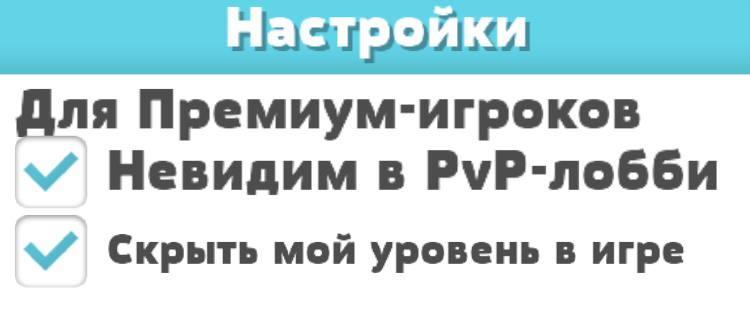
2. Можно скрыть себя на пвп арене.
3. Можно скрыть свой уровень в чате и топе.
4. Почти нет лимита переключения скина.
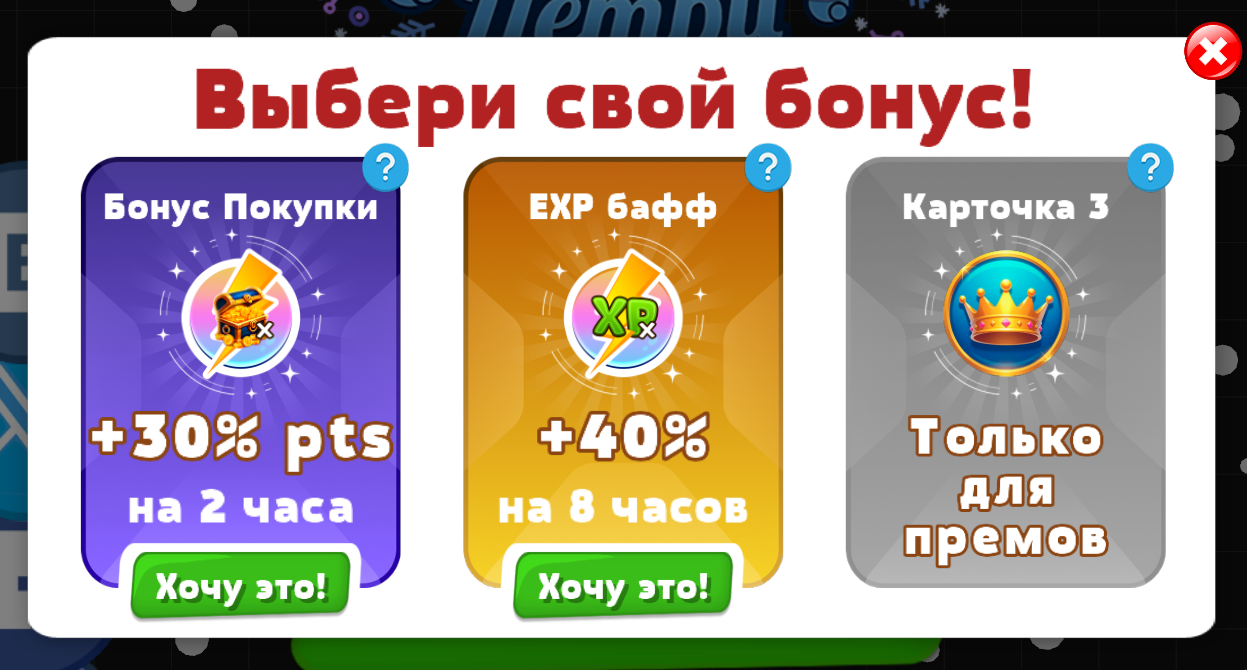
5. Дополнительная карточка в ежедневном бонусе.
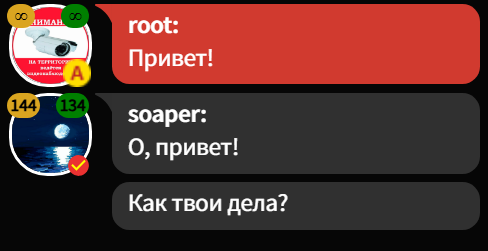
<div><figure><img src="/files/ipJC9bsxZcLbQp7OnFUu" alt=""><figcaption><p>Скрытый уровень - бесконечность.</p></figcaption></figure> <figure><img src="/files/5tA469IOKJttN2cY2mn6" alt=""><figcaption><p>Сообщения без кулдауна!</p></figcaption></figure></div>

<div><figure><img src="/files/8rtznuGFD703p1TalcDK" alt=""><figcaption><p>Нет премиума, 2 карточки.</p></figcaption></figure> <figure><img src="/files/aUAMIQcxUqG1NfFWEdLC" alt=""><figcaption><p>Есть премиум, 3 карточки.</p></figcaption></figure></div>

<div><figure><img src="/files/TbCQpCZD8atcRXuOILZ9" alt=""><figcaption><p>Браузер, скрытие в ПВП арене.</p></figcaption></figure> <figure><img src="/files/xS6Wtkqwu0Oe1OhCFL2Q" alt="" width="375"><figcaption><p>Клиент, скрытие в ПВП арене.</p></figcaption></figure></div>

### Как включить?

<div><figure><img src="/files/4wLUGUFJq95CjADCypWo" alt="" width="245"><figcaption><p>Браузер.</p></figcaption></figure> <figure><img src="/files/jQVZcmnTEVAH8IfS0v7g" alt="" width="375"><figcaption><p>Клиент.</p></figcaption></figure></div>


---

# Agent Instructions: Querying This Documentation

If you need additional information that is not directly available in this page, you can query the documentation dynamically by asking a question.

Perform an HTTP GET request on the current page URL with the `ask` query parameter:

```
GET https://wiki.petridish.pw/ru/account/premium.md?ask=<question>
```

The question should be specific, self-contained, and written in natural language.
The response will contain a direct answer to the question and relevant excerpts and sources from the documentation.

Use this mechanism when the answer is not explicitly present in the current page, you need clarification or additional context, or you want to retrieve related documentation sections.